Rethinking Rabbit R1
Ask an AI what to do, and you get one answer.
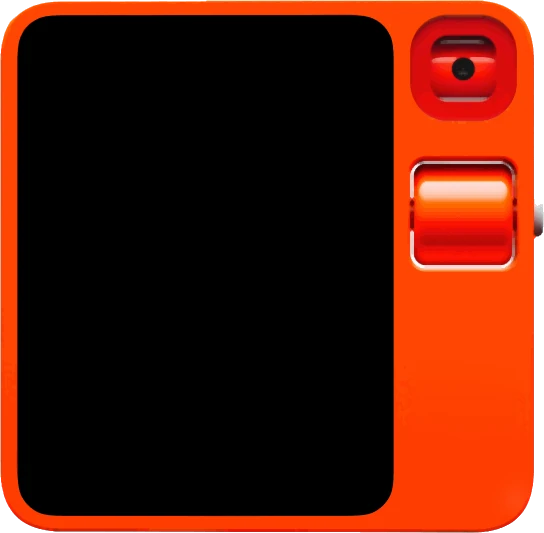
What if it handed you the wheel?
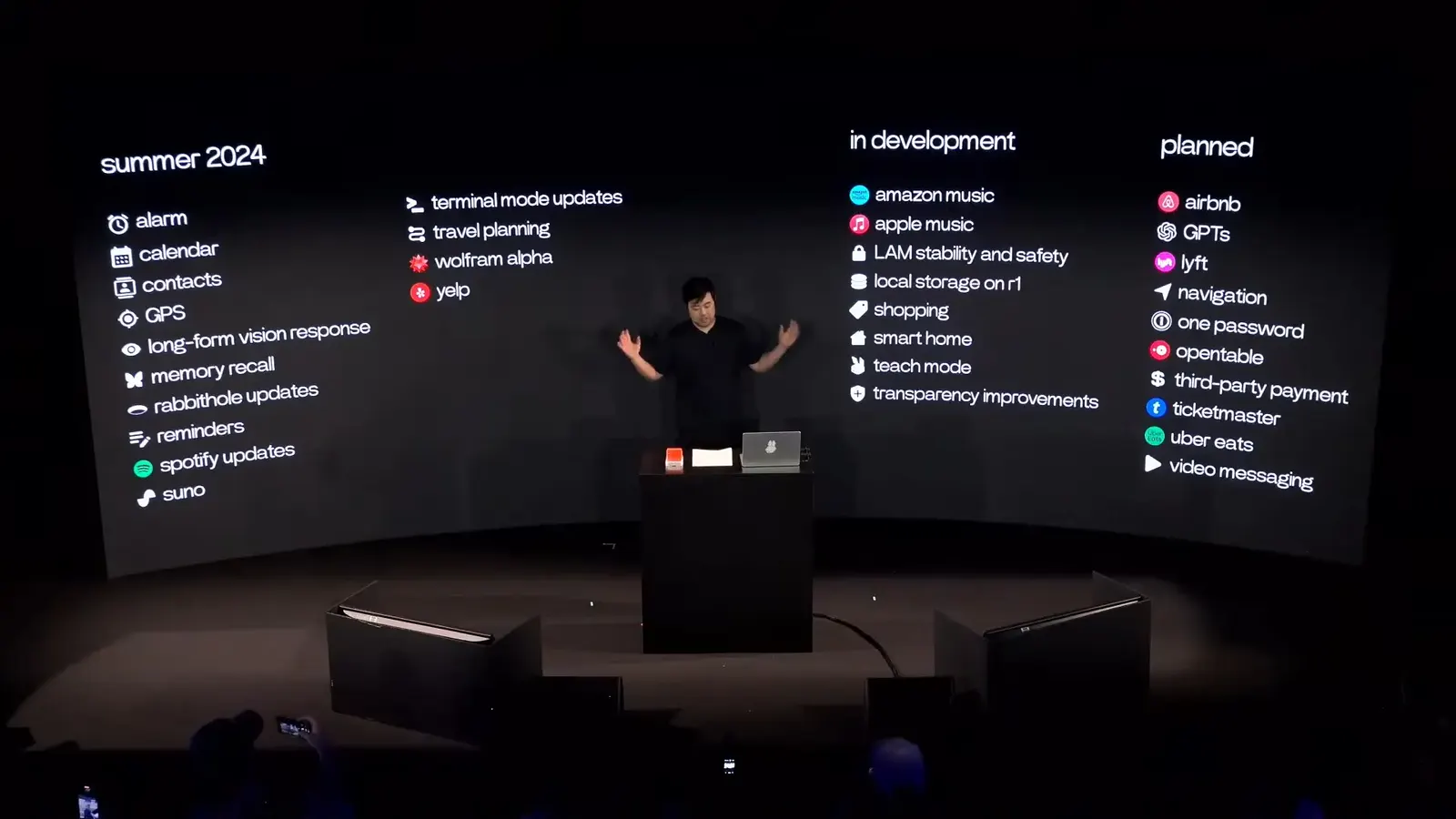
Rabbit’s plans for the R1, summer 2024.
In 2024, Rabbit R1 was one of the first AI devices.
It answers questions by voice and camera, orders food and rides, plays music, records memos and sets reminders: mostly things a phone does better.
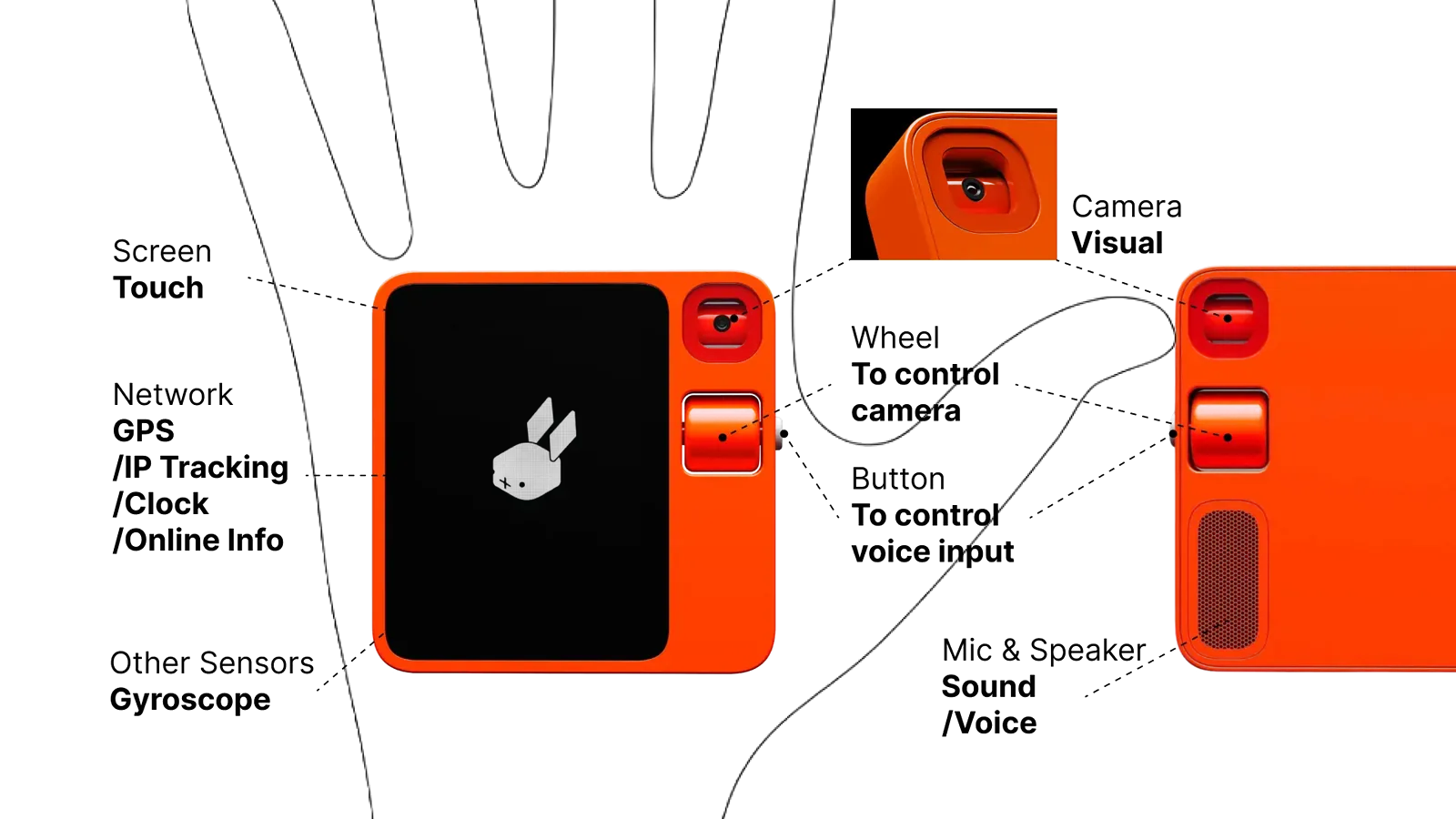
But it has a wheel and a button. That’s what I love about it.
Like a phone, it has a screen, a camera, a mic and GPS. Unlike a phone, you hold it in your hand and turn it.

Back then, we used AI one way: ask, then wait.
I called it A–A: Ask–Answer, or Ask–Act. It answers what you ask, but never shows you what you didn’t think to ask.
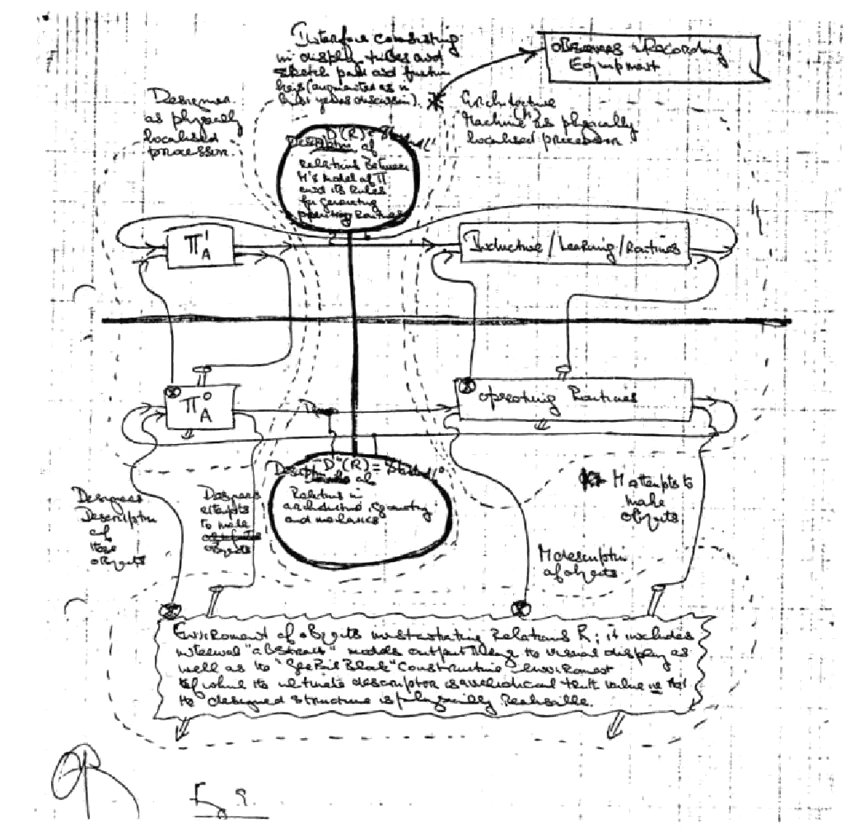
Gordon Pask’s Conversation Theory, 1976.
What’s missing is conversation.
A conversation is a loop: an iteration, a collaboration. Through it we learn what’s possible, and what we might want.
So I rethought Rabbit R1 around
Conversation
A concept for History and Future of Interaction Design at Carnegie Mellon, with Paul Pangaro, fall 2024
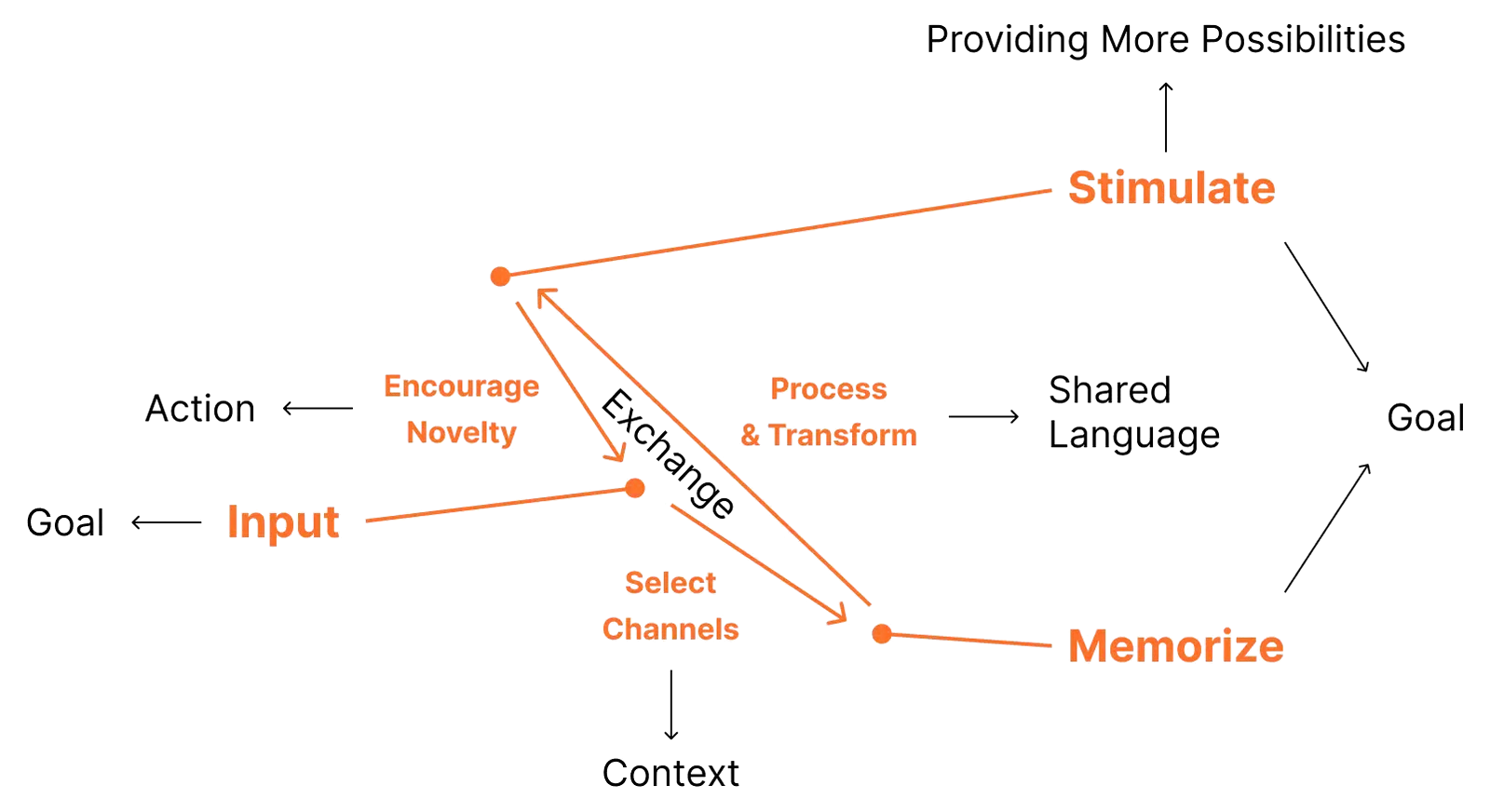
A conversation in three steps: Input, Memorize, Stimulate.
Input sets a goal and picks the channels that give it context. Memorize turns what it learns into a language you share. Stimulate encourages the new, with more possibilities to act on.
To scale: an iPad, a phone, and the R1, 78 mm on each side.
Too small to scroll on. Just right for a surprise.
You carry it like a toy and glance at it, not into it. So I used it to bring small surprises into everyday life.
Process Visualization and Fluid Widgets.
You see what it draws on.*
Vision, GPS, voice and memory sit on the screen as widgets, linked as they feed what it says, each lighting up in turn.
* Well before “context engineering” became a term, in June 2025
Memory Switch.
You choose how much it remembers.*
A tab at the edge of the screen slides between short and long memory, and sets how far back it reaches: off, a day, a week, two weeks, a month.
* Before memory became standard: Gemini, ChatGPT and Claude began recalling past chats only in 2025
Possibility Wheel and Curiosity Mode.
Double-press the button, and the wheel turns through possibilities.
Not one answer but many ways to take it: do it, don’t, do it better, or what if you chose to. Stop on one to hear more, or write your own.
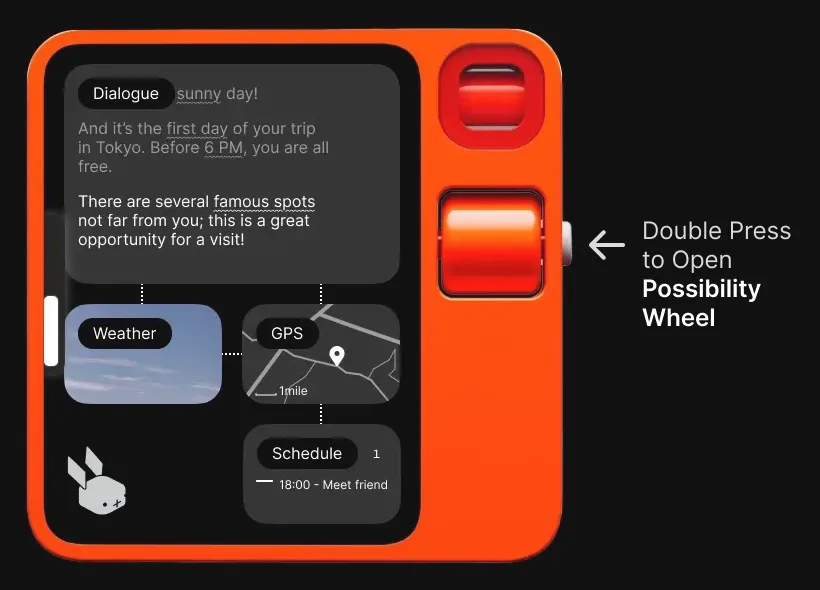
On a free afternoon in Tokyo, it starts the conversation.
It knows the weather, where you are and when you meet a friend, and points to famous spots nearby. You answer with the wheel. I prototyped two stories: learning Japanese before the trip, and exploring the city once there.
It doesn’t decide for you. It shows you what else you could do.
- Role
- Concept, interaction and UX design, solo
- Course
- History and Future of Interaction Design, Carnegie Mellon University, with Paul Pangaro
- Year
- Fall 2024
- Tool
- Figma
- Scenario 1
- Learn Japanese before a trip
- Scenario 2
- Explore a new city
- Status
- Design concept